
The Truth About AI Glasses You Cannot Ignore
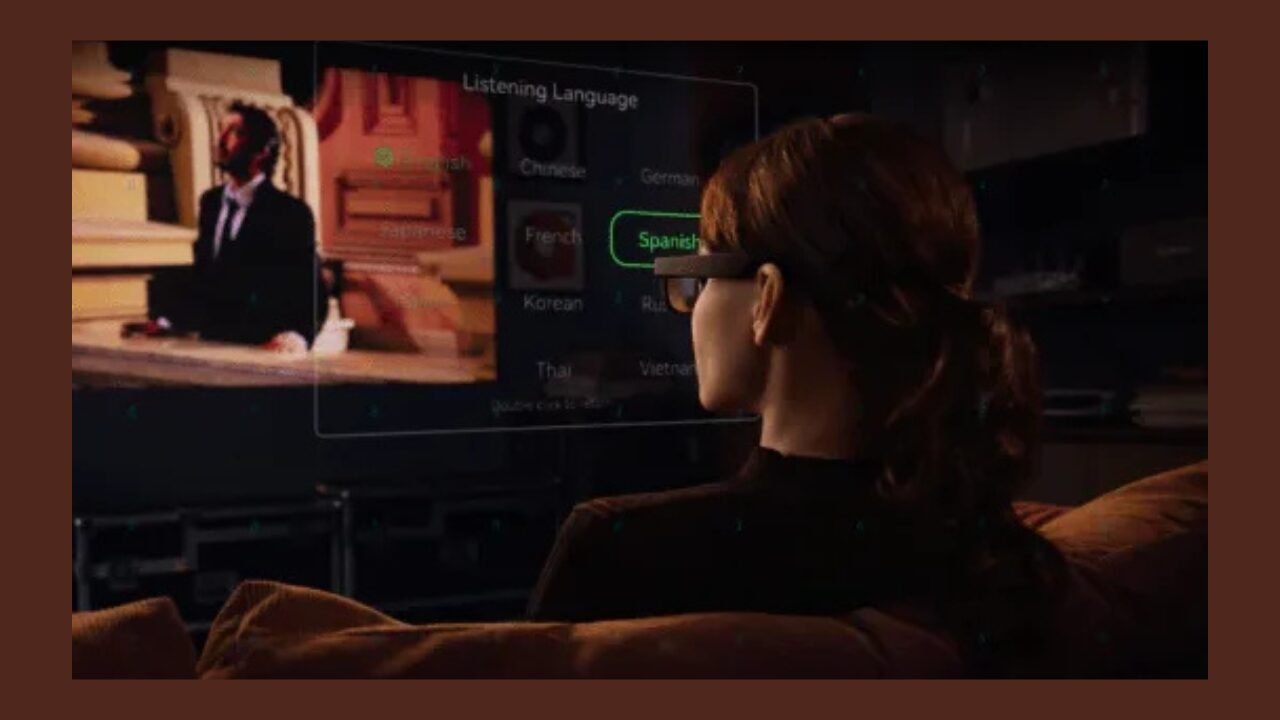
AI glasses are finally becoming genuinely helpful, but not in the way most people imagine. The truth is: they are not “mini smartphones on your face.” They are more like hands-free shortcuts that shine in a few specific moments, and in those moments, they can feel surprisingly great.
What AI Glasses Actually Are
AI glasses are wearable devices in the form of eyewear, built around three core elements:
- Input sensors: usually microphones, sometimes cameras
- Fast output: usually speakers, sometimes small displays
- An AI assistant: turns your voice, and sometimes what you see, into answers or actions
Most AI glasses still rely on a smartphone for connectivity and heavy computing. That is not really a flaw. In many cases, this dependency is precisely why they can stay lighter and more comfortable than full headsets.
What AI Glasses Are Actually Good at Today
Hands-Free Photos and Video
If your AI glasses have a camera, the most immediately useful feature is often the simplest one: capturing what you are seeing without pulling out your phone.
This has real value in everyday life, for example:
- Walking through a city and grabbing quick moments
- Cooking when your hands are dirty
- Carrying bags, pushing a stroller, cycling, or holding a child
The best experiences are often the most understated: a tap or a short voice command, instant capture, then back to what you were doing.
Quick Voice Questions While Moving
AI glasses shine when you need a short answer on the go:
- “What’s the fastest way to the station?”
- “Convert 120 euros to dollars.”
- “Summarize what I just missed.”
- “What is this place called?”
The keyword is short. If you expect long explanations, you will be disappointed. If you want fast, practical answers, it genuinely feels like an upgrade.
“Good Enough” Real-Time Translation
Translation is one of the most natural use cases for AI glasses because it aligns with the form factor. You are already looking at the world and listening to people.
In practice, the most usable translation modes are usually:
- Subtitle-style translation for conversations
- Voice translation to help you respond quickly
- Basic text translation for signs and menus
One vital truth to remember: translation works best in simple conditions. Clear voices, low background noise, and short sentences make a big difference.
Fewer Reasons to Pull Out Your Phone
Most people do not want more notifications. They want fewer moments when they feel compelled to check their phone.
AI glasses become meaningful when they:
- Only surface essential information
- Let you handle things with short voice responses
- Reduce the habit of constantly checking your phone at work or during commutes
Where AI Glasses Still Fall Short
In real-world use, you will encounter issues such as battery life, comfort, and software quirks.
They Do Not Replace Your Phone
Even the best AI glasses still struggle with:
- Long reading sessions
- Complex app switching
- Detailed visual browsing
- Editing and multitasking
Privacy Concerns
Cameras significantly enhance what AI glasses can do, such as first-person recording and object recognition. But they also change how other people feel around you. Some people feel uncomfortable, and in some places, wearing them is awkward or explicitly restricted. This directly affects whether you can wear them consistently.
Audio Quality
The success of AI glasses often depends on their microphones and noise-reduction capabilities. Many products perform well in quiet rooms but fail outdoors.
What really matters day to day is whether they can still hear you clearly in wind and traffic, whether the wake word triggers by mistake, and whether people on the other end of a call listen to you clearly. If these fail, even the best AI quickly becomes unusable.
Battery Life
Battery life varies dramatically depending on how you use them:
- Recording drains more power than listening
- Translation uses more power than simple notifications
- Frequent AI interactions drain more than occasional questions
Most people are happier treating AI glasses as a device for sessions, not all-day wear. If you plan to use them a lot, charging speed and whether you can use them while charging may matter more than the rated battery capacity.
Comfort
Comfort determines whether you actually keep wearing them. Small details make a big difference:
- Weight and balance
- Pressure on the nose pads
- Clamping force of the temples
- Heat buildup during long wear
Prescription Limitations
If you wear glasses every day, you must check whether the AI glasses support prescription lenses directly and whether they can be worn comfortably with contact lenses or other vision solutions without causing discomfort.
Who AI Glasses Are Actually For
Frequent Travelers and Multilingual Users
If you travel often, translation, quick navigation, and hands-free capture add up to real value. The benefit usually comes from the combination of features that reduce friction during movement.
People Whose Hands Are Often Busy
Cooking, cycling, commuting, outdoor or on-site work, and carrying gear are all situations where AI glasses turn “pull out your phone” moments into “just speak” moments. This is where they feel most like the future.
Creators Who Want an Easy POV Camera
For short-form content creators, always-ready first-person footage can be valuable. But it is essential to be honest about when and where you will actually feel comfortable recording.
Early Adopters Who Enjoy Iteration
AI glasses are improving quickly. If you enjoy experimenting with new workflows and can tolerate some friction, you will likely enjoy it. If you want something fully polished, it may be better to wait.
READ MORE
Conclusion
By 2026, the best smart glasses with cameras will no longer be defined by pixel counts or spec sheets alone. What truly matters is how well they fit into your everyday routine and the role you expect them to play in your life.
If your primary goal is to capture daily moments—such as quick clips, first-person videos, and effortless sharing—camera-first smart glasses are usually the most convenient and reliable option. These products prioritize hands-free recording, clear and consistent audio, and a simple, intuitive user experience, all while maintaining the look and feel of regular eyewear. In this category, the Ray-Ban Meta series has emerged as a widely recognized and mature solution.
On the other hand, if you want smart glasses that do more than just record—glasses that can deliver real-time information and assist decision-making—there is another path worth considering. This approach combines audio, cameras, AI, and HUD displays to project navigation cues, translation overlays, and contextual prompts directly into your field of view. While still supporting camera-based functions, it significantly expands what smart glasses can do. The RayNeo X3 Pro is a representative example of this direction, pairing binocular waveguide MicroLED displays with an integrated camera and voice control, and targeting frequent information access and outdoor use cases.
Understanding these two distinct positions helps you determine which type of smart glasses best aligns with your daily needs and usage habits.