
Linux KVM vs OpenVZ: Which Option Fits Your Needs Best?
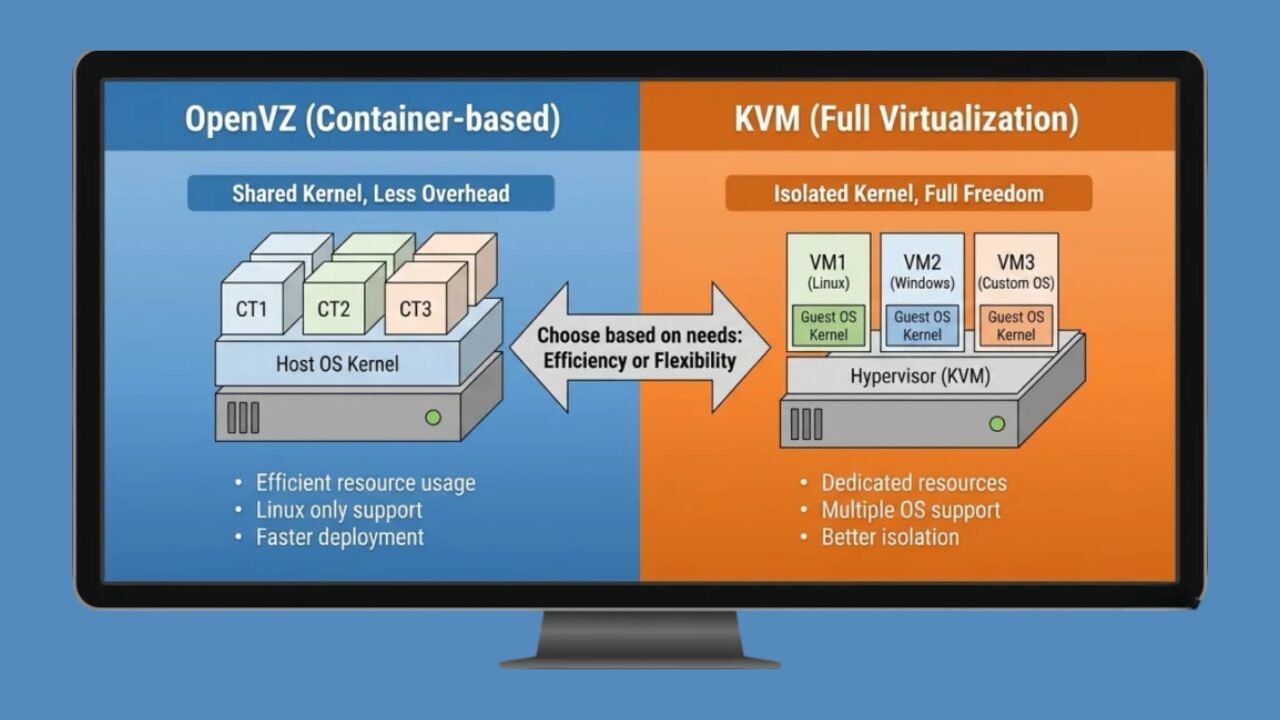
When you purchase a Linux VPS, your hosting provider uses virtualization to partition a single powerful physical server into multiple independent virtual servers. Two of the most common virtualization technologies used for this purpose are KVM and OpenVZ. Both are widely used, but they work differently and are suited for different types of projects.
If you want reliable Linux VPS hosting with strong performance and stability, a provider like VPS Malaysia can be a solid option. They offer multiple VPS configurations designed to keep your website fast, stable, and always available—whether you’re running a small blog or a high-traffic business site.
1. What Is OpenVZ? (Shared Virtualization Model)
OpenVZ is a container-based virtualization system. This means multiple VPS containers are created on the same physical server and share the same operating system core (kernel). Because of this shared structure, OpenVZ usually runs efficiently with minimal extra resource usage.
✅ Why OpenVZ is popular:
- Fast performance: It runs smoothly due to low overhead.
- Affordable pricing: It’s often the most cost-effective VPS option.
- Efficient resource utilization: Ideal for lightweight tasks.
⚠️ OpenVZ limitations:
- You cannot entirely modify kernel-level settings.
- It supports Linux only; it does not support Windows or custom OS installations.
If you’re looking for low-cost, efficient Linux OpenVZ VPS hosting, VPS Malaysia offers plans well-suited for beginners, basic websites, or small online projects that don’t require extensive customization.
2. What Is KVM? (Fully Isolated Virtual Machine Model)
KVM, short for Kernel-based Virtual Machine, is a complete virtualization solution. Unlike OpenVZ, each KVM VPS operates as a standalone server with dedicated system resources. It functions almost like having a private computer running inside a larger machine.
✅ Key benefits of KVM:
- Complete control: You can modify settings freely and manage your VPS without restrictions.
- Multiple OS support: You can install Linux, Windows, or even custom operating systems.
- Better isolation: Your VPS is separated from other users on the same server.
- Stronger security: Since everything is isolated, it reduces the risk of exposure to neighboring users.
This makes KVM a strong choice for users who need reliability, privacy, and stable performance for serious workloads.
3. KVM vs OpenVZ Comparison (Quick Overview)
| Feature | OpenVZ | KVM |
|---|---|---|
| Resource Type | Shared (burstable) | Dedicated (private) |
| OS Support | Linux only | Linux, Windows, custom |
| Performance | Fast but can fluctuate | Stable and consistent |
| Cost | Lower | Slightly higher |
READ MORE
Which One Should You Pick?
The best option depends on what you plan to run and how much control you need.
✅ Choose OpenVZ if:
- You have a simple website or blog
- You’re a beginner and want a budget-friendly VPS
- You don’t need OS-level customization
✅ Choose KVM if:
- You run an online store or high-traffic site
- You need a private environment with dedicated resources
- You host databases, applications, or custom configurations
- You want better isolation and improved security
For powerful, private Linux KVM VPS hosting, VPS Malaysia offers KVM plans with dedicated CPU and RAM, ensuring your server performance remains smooth and unaffected by other users sharing the same physical machine.