
Roblox’s Grow a Garden for Kids: Ultimate Gameplay & Safety Guide
Getting Started with Grow a Garden
To begin your adventure in this popular Roblox farming game, you’ll need to locate it on the platform, set up your first garden plot, and learn about the basic tools that help you plant and harvest crops.
How to Find the Game on Roblox
Open the Roblox app or website and type “Grow A Garden” in the search bar. Look for the official game made by “The Garden Game” team. You can tell it’s the right one because it has millions of visits and is regularly updated.
Select the green Play button to start playing. Wait for everything to load, and you’ll be ready to begin your gardening journey.
Creating and Customizing Your First Garden Plot
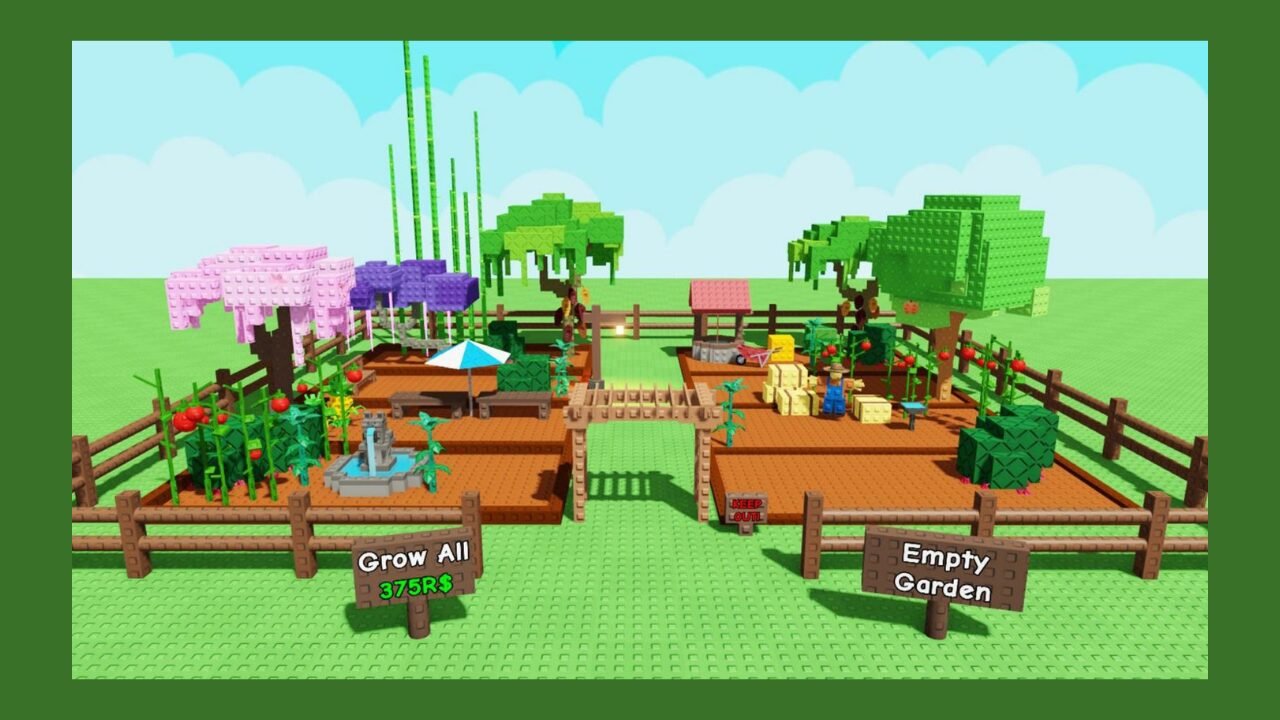
When you first join, talk to Sam, the guide character with an exclamation mark above his head. Press “E” or click on him to start a conversation. He’ll give you your first plot of land, typically with nine planting squares arranged in a 3×3 grid.
Your garden plot is your personal space for planting crops. Other players can’t touch your plants or harvest from your land. You can find your plot anytime by pressing the “M” key to open the map.
Overview of Basic Tools and Features
You’ll start with two main tools: a watering can and a shovel. The shovel prepares the soil for planting and harvests mature crops. The watering can helps keep your plants healthy by providing water.
Your screen shows essential information, such as coins, gems, and honey, at the top. The toolbar at the bottom lets you switch between tools by pressing number keys or clicking. You can open your inventory by clicking the backpack icon to see all your seeds, tools, and harvested items.
Gameplay Basics and Earning Currency
Getting started in Grow a Garden is simple, but knowing how to earn and spend your currency makes the game more fun. You’ll plant crops, collect Sheckles, and use various shops to improve your garden.
Planting and Harvesting Crops
You can grow up to 1,000 plants within your garden space. Start by buying seeds from Sam’s Seed Shop and placing them in your garden plot. Each crop takes time to grow before harvest.
After your crops are ready, click on them to harvest. Take your harvested crops to Steven’s Stand to sell them for Sheckles. Simple crops like carrots are cheap to start with, but they help you earn your first batch of currency.
Try different crop types early on. Some crops are worth more money than others, especially if they get special mutations during weather events.
Understanding Sheckles and Robux Purchases
Shekels are the main currency you earn by selling crops. There’s no limit to how many you can collect. You use Sheckles to buy seeds, gear, and pets from the game’s shops.
Robux is Roblox’s real money currency. You can spend Robux on special items or speed up specific processes, but it’s not required to enjoy the game.
Having friends play with you in the same server gives you a bonus. You get an extra 10% Sheckles for each friend online with you.
Using Shops and Upgrading Your Garden
Three leading shops help you improve your garden:
- Sam’s Seed Shop – Buy different seed types
- Eloise’s Gear Shop – Purchase sprinklers and tools
- Raphael’s Pet Shop – Adopt pets with special abilities
Start with basic sprinklers (25,000 Sheckles) to help your crops grow faster. These tools increase growth speed and mutation chances, which makes your crops worth more money when you sell them.
Exploring Advanced Features and Unique Systems
As you progress in Grow a Garden, you’ll discover special systems that make growing crops more exciting and rewarding, including mutations that create rare plants, helpful pets, and changing weather patterns.
Mutation System for Rare Plants
Mutations happen when your plants grow in specific weather conditions. When you plant crops during rain, fog, or other weather events, they have a chance to mutate into rare versions worth more Sheckles.
Mutated plants look different from normal ones and sell for higher prices. You can spot them by their unique colors or special effects. Some mutations are more challenging to get than others, so keep trying different weather combinations.
To increase your chances of mutation, plant seeds when the weather changes. Check the sky often and plant crops as soon as it starts raining or fog rolls in.
Unlocking and Using Pets
Pets come from eggs you can buy with Sheckles. Each pet has special abilities that help your garden grow better. Some pets speed up crop growth while others increase your harvest amounts.
You unlock pets by hatching eggs found in the shop. Different eggs contain different pets with unique powers. Higher-priced eggs usually have better pets inside.
Weather and Seasonal Effects on Growth
Weather changes throughout the day in Grow a Garden. Rain helps plants grow faster and creates opportunities for mutations. Different seasons bring distinct weather patterns and limited-time crops that can only be grown during events.
Events, Rewards, and Special Game Modes
Grow a Garden runs regular events that give you chances to earn exclusive items you can’t get during normal gameplay. You’ll also find daily activities that reward consistent play.
Seasonal Events and Limited-Time Content
Most events last about one week and bring themed content to the game. You can collect special seeds, pets, and gear that match each event’s theme. Past events have included the Fall Market Event, Cooking Event, and Prehistoric Event.
Events also introduce unique game mechanics. The Beanstalk Event lets players work together to grow a giant beanstalk. The Smithing Event added crafting features where you could combine items to make new gear.
You need to participate during the event window because these items disappear when the event ends. Save your Sheckles before events start so you can buy exclusive content right away.
Daily Challenges and Login Bonuses
The game rewards you for playing regularly. Daily challenges assign specific tasks, such as growing certain crops or meeting size goals. These challenges help you earn Sheckles and seed packs without spending real money.
Login bonuses provide free items for opening the game each day. The longer your daily play streak, the better the rewards become.
Social Play and Community Involvement
Grow a Garden lets you connect with other players through groups, garden visits, and trading. These features help you make friends while learning how to interact safely online.
Joining or Starting a Roblox Group
You can join a Roblox group focused on growing a Garden to meet other players who love the game. Groups often share tips about rare plants, announce when special items are in stock, and organize events. Some groups even have private servers where members can play together without interruptions.
Starting your own group is easy, too. You can invite your friends and create a small community where you decide the rules and activities.
Visiting Friends’ Gardens
You can visit other players’ gardens to see their designs and plant collections. This helps you get ideas for your own garden layout. Your friends can visit your garden as well, which makes the game more engaging and social.
Trading, Safety, and Online Etiquette
Trading plants happens outside the game through external platforms, which can be risky. Always ask a parent before trading with strangers. Never share personal information like your real name, address, or school. Be kind when chatting with other players and report anyone who acts inappropriately.
Tips, Strategies, and Progression
Getting better at Grow a Garden means knowing what to focus on and when to focus on it. These strategies help you earn more, unlock cool items, and skip common problems that slow players down.
Leveling Up Faster and Earning More
Start by planting fast-growing crops like carrots and blueberries. They grow quickly and generate revenue to buy better seeds.
Check the seed shop every 5 minutes, as it restocks frequently. Complete daily quests at the gear stand for free seed packs, even when the tasks are simple.
Feed your pets regularly so they level up faster. Some pets, like the squirrel, give you a 2.5% chance to keep seeds when planting. The Dragonfly helps create gold mutations that sell for more money.
Focus on orange tulips early since they mutate easily and help you earn your first million. Wait for weather mutations before harvesting, as mutated crops are worth much more than regular ones.
Unlocking Rare Items and Codes
Join the official Grow a Garden Discord server for alerts about rare seeds and limited events. You can also find active codes there.
Check the forever pack daily for free items, including super seeds. The grow a garden wiki also lists current working codes.
Buy gear items like watering cans and recall wrenches whenever they appear in the shop. Never spend Robux on common seeds or basic currency; they’re not worth it.
Avoiding Common Mistakes
Never use a shovel without care, as it can destroy your entire crop layout. Use the trial tool first to test placements.
Don’t plant valuable crops in public servers where other players might steal them. Keep your farm organized by maintaining only your best plants, rather than filling every space.
Avoid buying the “grow all” button; watering cans perform better and cost less. In trades, never offer first because you’ll usually get lowballed.
READ MORE
Who Makes Grow a Garden and Game Safety
Splitting Point Studios created Grow a Garden and released it on Roblox in March 2025. The game includes basic Roblox safety features that you can adjust through parental controls.
Splitting Point Studios and the Game’s Origins
Splitting Point Studios developed Grow a Garden in collaboration with Do Big Studios. The game launched on Roblox on March 26, 2025, and quickly gained popularity, attracting millions of players.
The developers designed it as a free-to-play gardening game in which players plant seeds, grow crops, and earn in-game currency called Sheckles. Your garden keeps growing even when you’re offline, which makes progress feel rewarding.
Parental Controls and Online Safety Tips
Roblox offers parental controls that let you manage your child’s experience. You can limit who can message your child, restrict access to certain games, and control spending on in-game purchases.
Check your child’s account settings to turn on account restrictions for players under 13. You can also set up a monthly spending limit or require approval for purchases. The chat filter is automatically more strict for younger players.
Talk with your child about not sharing personal information with other players. Remind them to report any inappropriate behavior using Roblox’s built-in reporting tools.